A Shopify app by Scalar
Sale wording goes up Friday. Normal wording is back on Monday, without you. Section Control edits any text on your live store on a schedule, hides sections on phones, and can put a section in your theme’s own fonts and colors. It never touches your theme files.

How it works
No code, no theme edits, nothing to babysit. If you can set an alarm, you are overqualified.
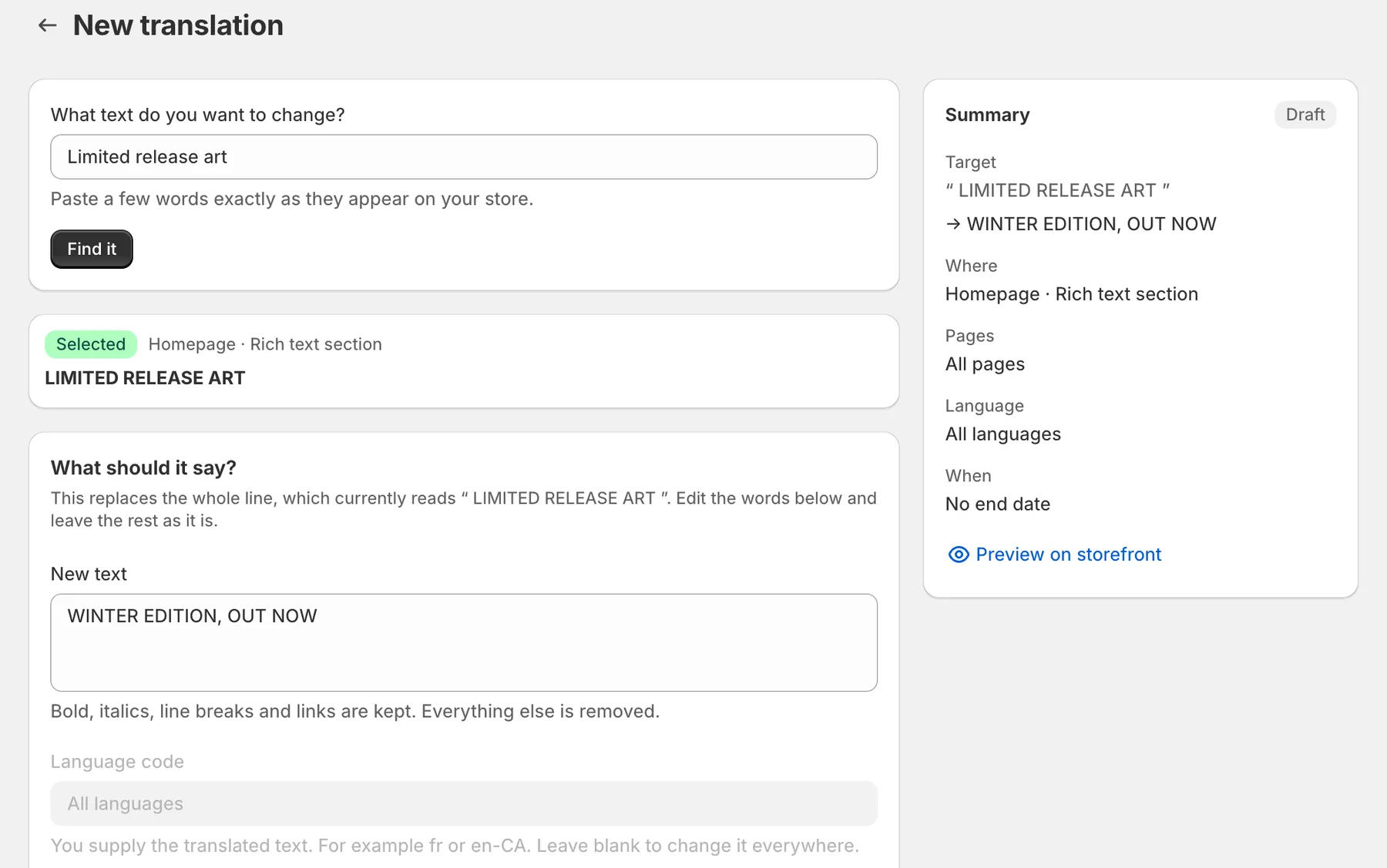
Paste a few words the way they appear on your store. The app searches your live pages and your theme, then shows you every place it found them.
You write the new wording. Nothing is machine-translated, so it says what you meant rather than what a robot guessed.
Save it and the new words go live. Give it an end date and the old words come back on their own. You take the credit.
On your store
All of it happens on your live storefront. Your theme files stay exactly as they are.
Give your French pages their own wording, or change a line in every language for a sale. You write each version yourself, so nothing goes out machine-translated.
It reaches text that other apps put on the page too, not only your theme’s.
A section that earns its space on a wide screen can crowd a phone. Hide it on phones and keep it on desktop, or the other way round. There’s no schedule to set.
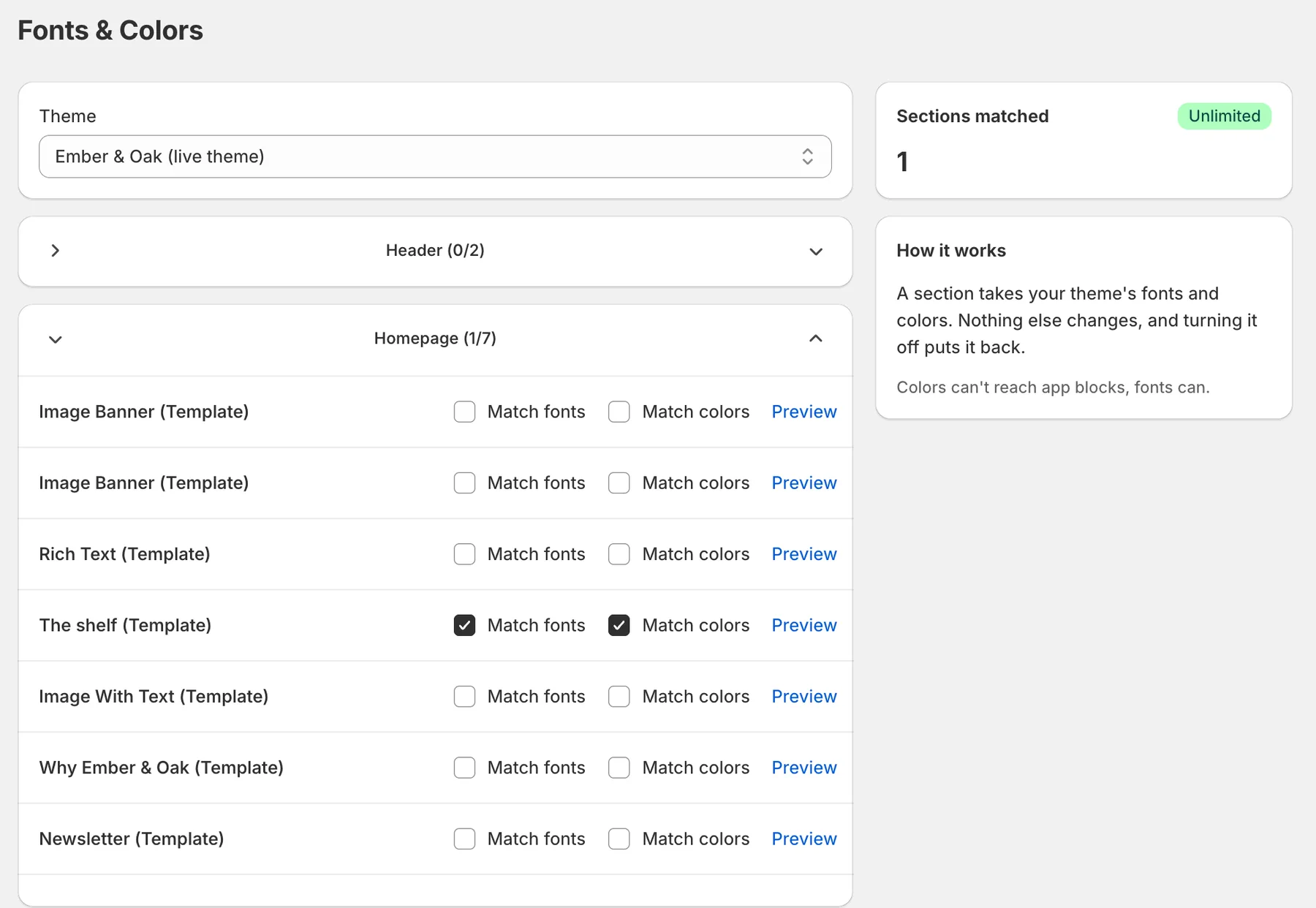
A section you bought arrives in its own font. One built with AI help lands on a plain white block. Tick Match fonts and Match colors and it takes on your theme’s. Untick them and it goes back.
One email a month. Usually about a sale.
The middle section came from somewhere else. Tick the boxes.
See your storefront with the change in place before anything goes live.
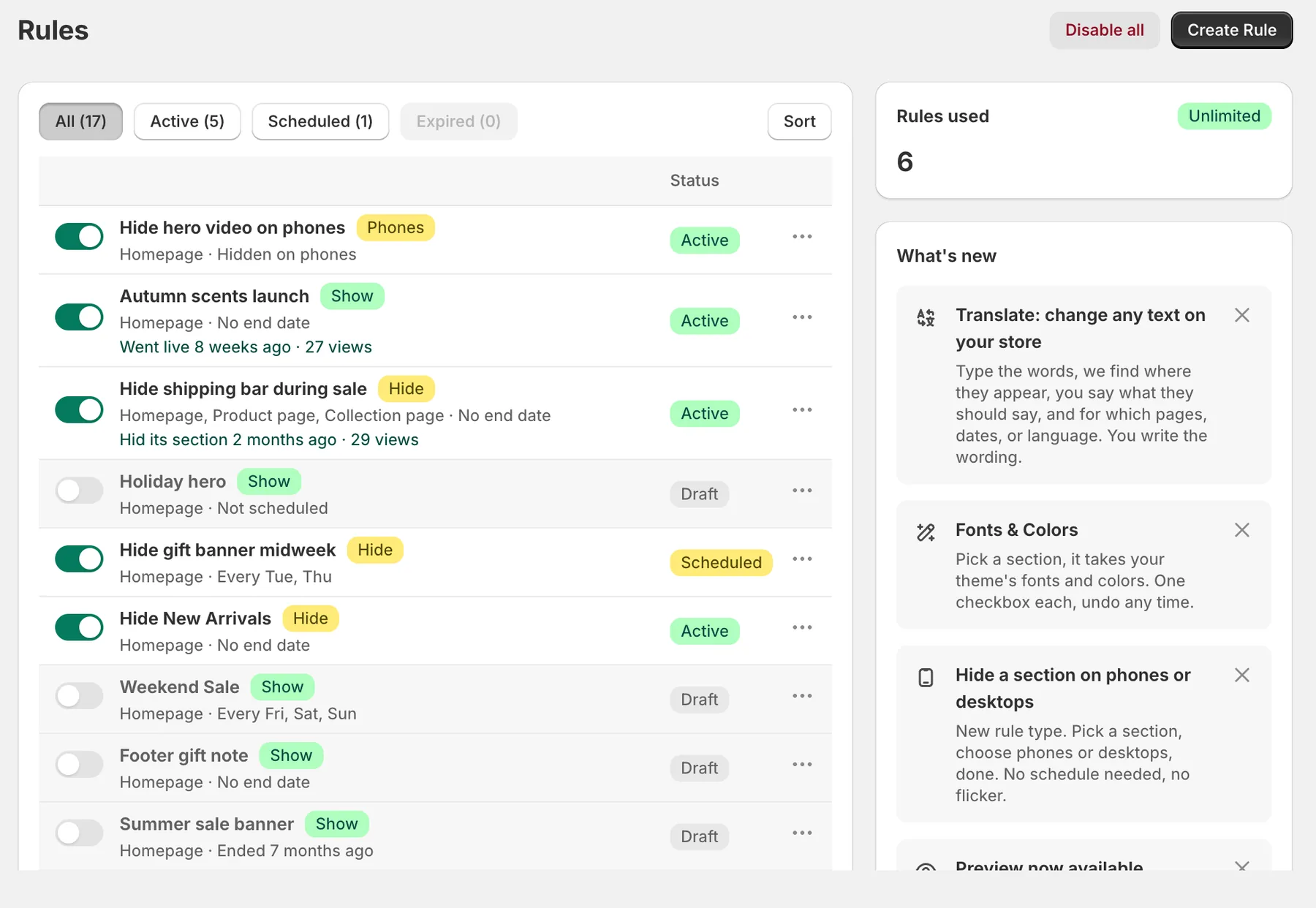
Disable all switches every rule off at once. You’ll probably never press it.
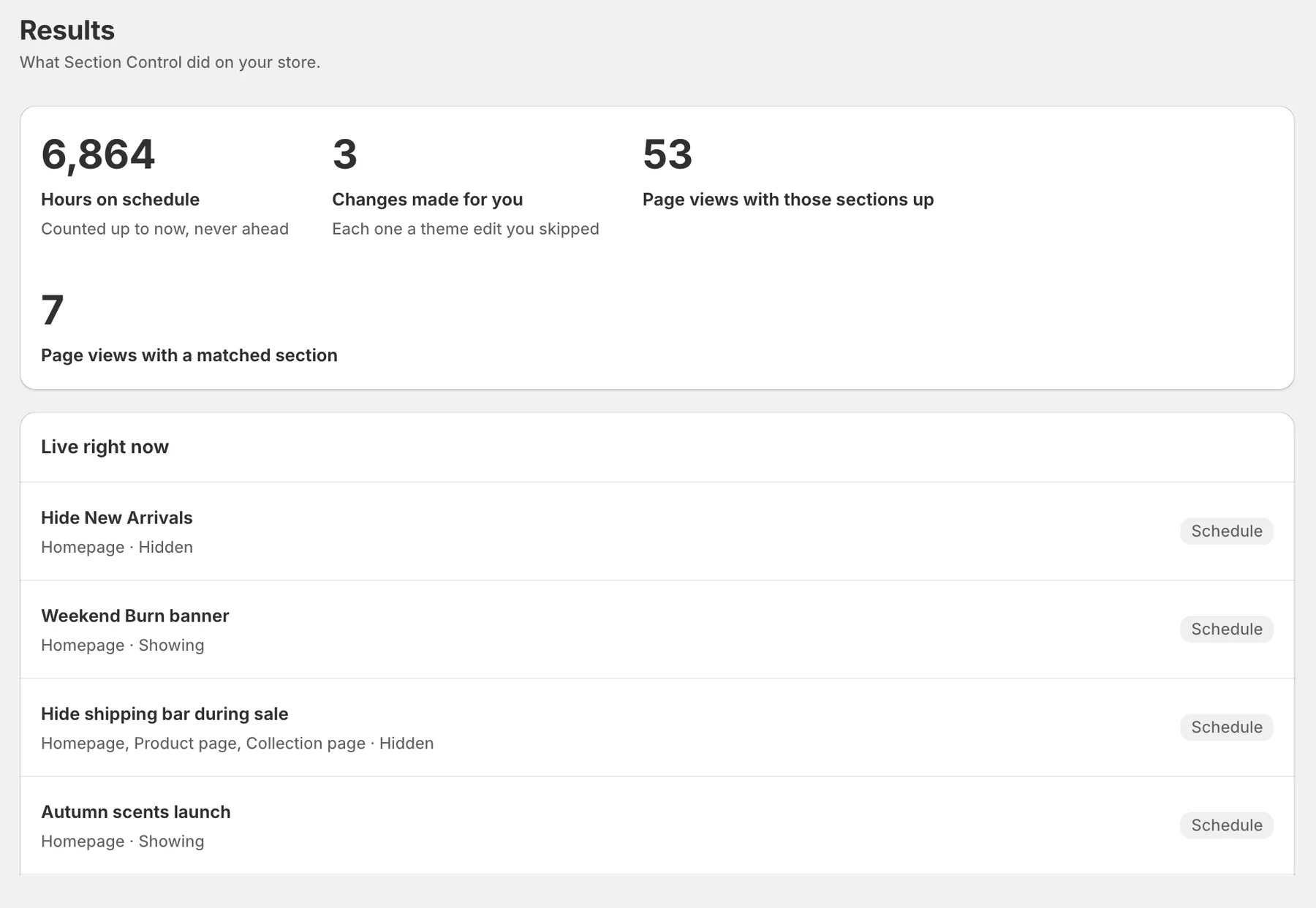
What ran, when it ran, and how many page views it had while it was up.
Inside the app
It looks like the rest of your Shopify admin because it’s built from the same parts, so there’s nothing to learn twice.
Every scheduled and device rule in one list, with when it went live and how many views it got. Disable all sits top right.
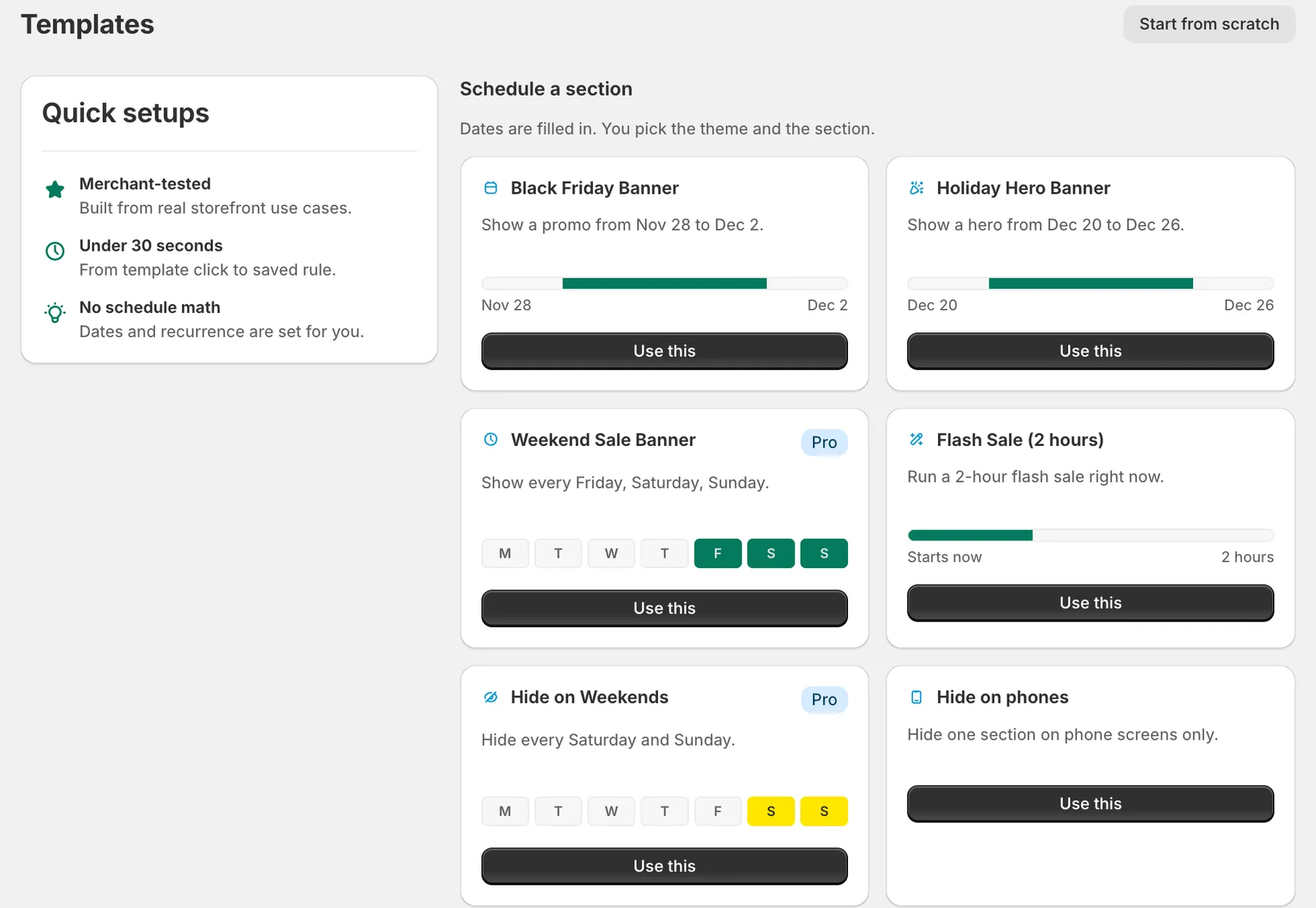
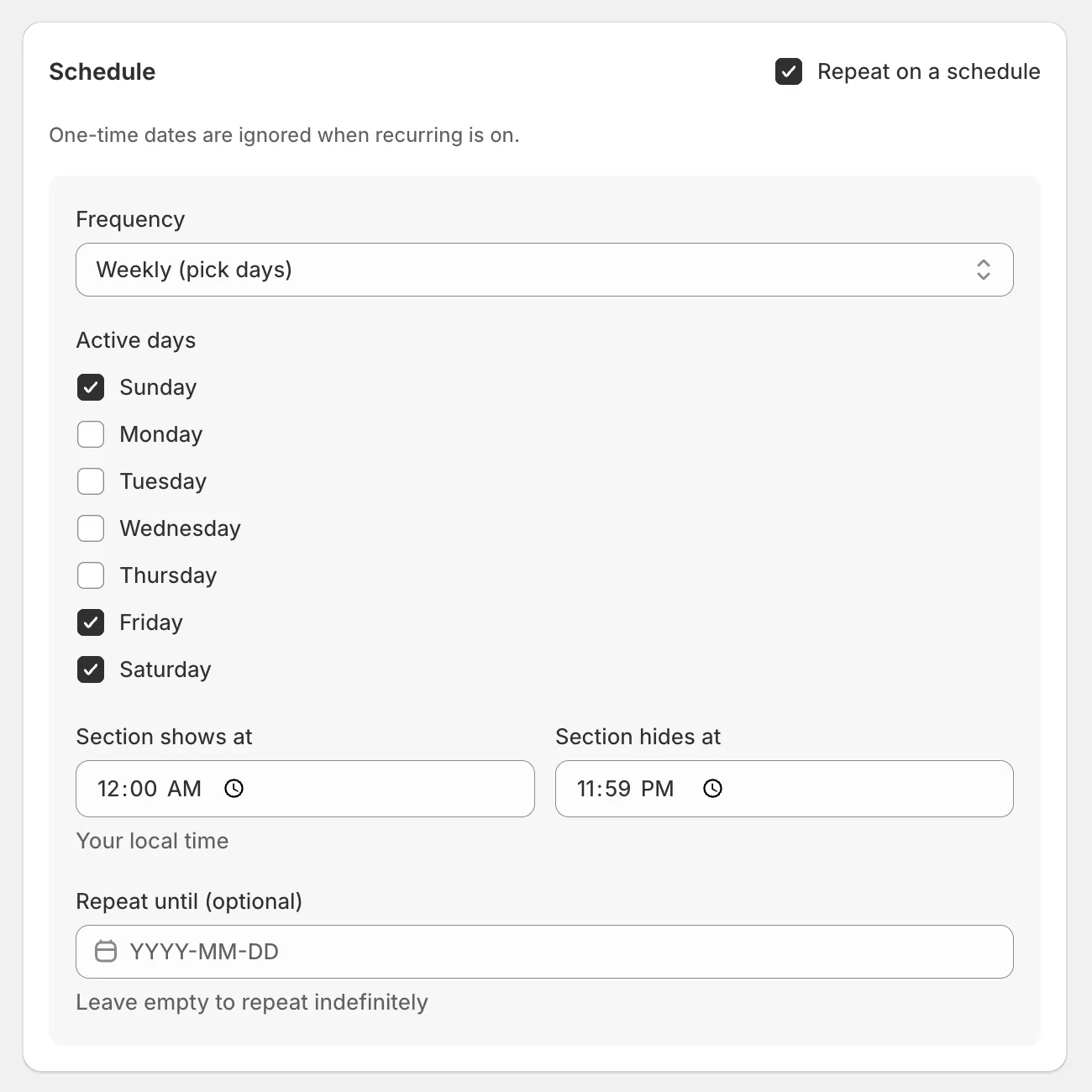
Black Friday, weekend sales, a 2-hour flash sale, hide on phones. The dates come filled in and you pick the section.
Every section in your theme, 2 checkboxes each. Preview shows you the result before a shopper sees it.
Hours on schedule, changes made for you, and page views while your sections were up. No customer or order data.
Scheduling
The other half of the app. Instead of changing what a section says, put the section itself on a schedule and let it come and go.
Reveal a promo on launch day, or hide New Arrivals during a clearance. Works in both directions, your call.
Weekend sales that run themselves. Every Friday at 9, gone by Sunday night, back next week without being asked.
One page, a few pages, or the whole storefront. Site-wide headers and footers included.
Pricing
No setup fees, no contracts, cancel anytime from inside the app.
Questions
Changing text works on any theme, old or new, because it reads your live pages. Scheduling and matching need an Online Store 2.0 theme, which is every theme released since 2021. On an older theme the app will not damage anything, it just may not be able to read your section list.
No, and that is deliberate. You write the wording. The app finds every place your words appear and puts yours there instead, so nothing goes live in a language you cannot read.
No. The storefront script is a few kilobytes and loads deferred, which is the way page speed tools want it. Your Lighthouse score will not notice we exist.
Not a single line. You pick sections from a list, set dates on a calendar, press save. That is the entire workflow.
Press Disable all. Every rule turns off immediately and your storefront returns to its normal state. Then email us and a human (the human, there is one of us) will sort it out.
Your theme goes back to exactly how it was. The app never edits your theme files, so there is no leftover code to clean up. Your data is deleted on schedule, as it should be.
I’m Rob, and I build Section Control.I answer the support inbox too. Write to rob@sectionctrl.com and the reply comes from the person who wrote the code.
Notes